

01 / START WITH YOUR PRACTICE
Your patients see a payment.
Your team sees a whole workflow.
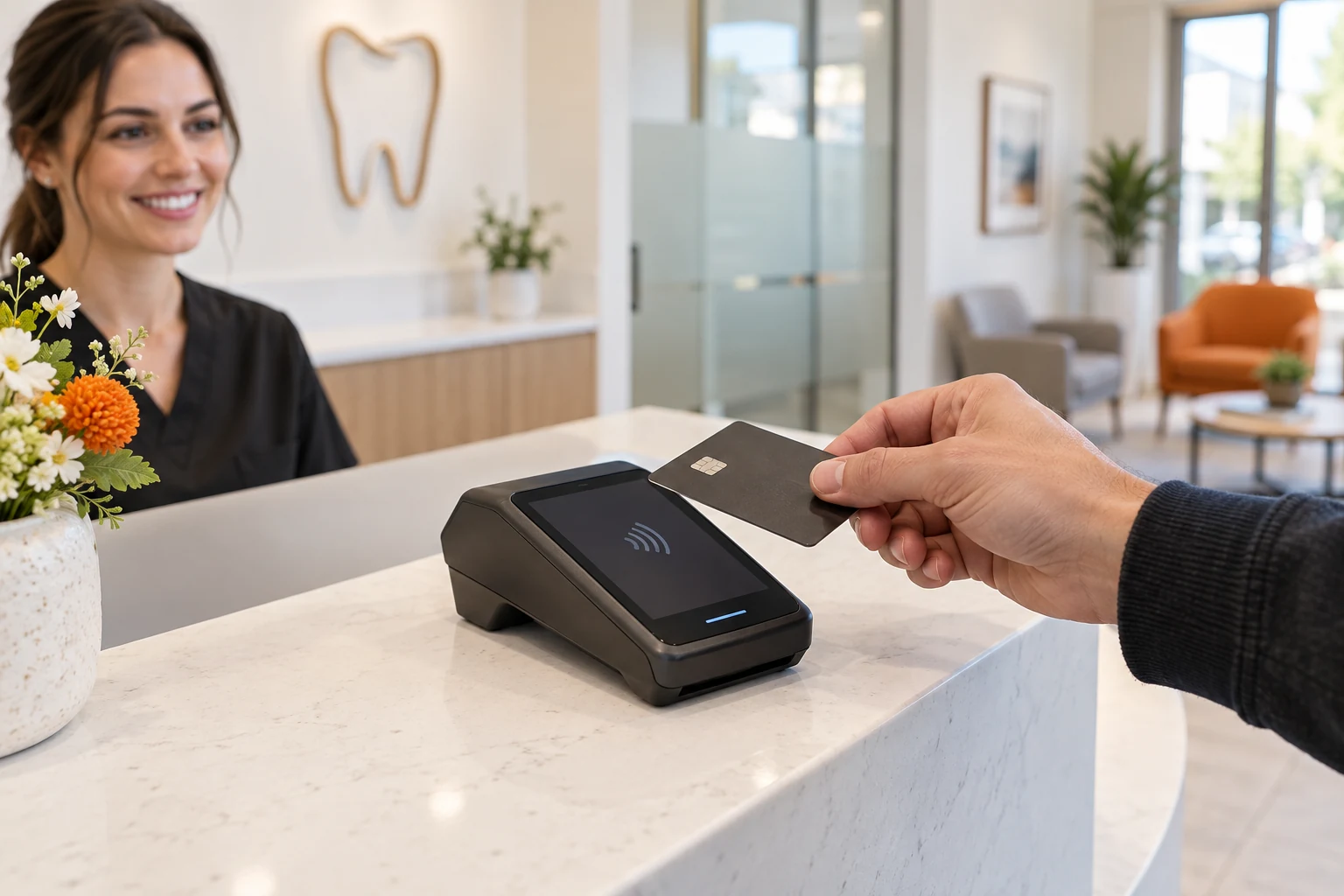
Dental office credit card processing lets a practice accept patient card payments in person, remotely or through an approved recurring arrangement. The merchant account, payment gateway, collection tools and practice-management workflow need to fit together. A low advertised rate is only one part of that decision.
A general practice collecting a balance at checkout has different needs from an orthodontic office collecting installments, a surgical practice taking a deposit ahead of treatment, or a group reconciling several locations. Describe your actual payment patterns before comparing proposals.
What will it cost to collect, record, refund and reconcile the payments your practice actually takes?
Compare the complete account cost, the supported software connection, how your staff will use the system, and who helps when something goes wrong. If you are new to the terminology, our merchant account guide explains the roles behind a card payment.
Money the patient
pays your practice.
Copayments, deductibles, self-pay treatment and other patient balances may be collected by card. Discuss your usual and largest payment, remote-payment share and any advance collection.
A separate payer
and reconciliation process.
An explanation of benefits describes a claim’s benefit determination; it is not itself a payment. Insurance EFT, remittance information and payer-issued virtual cards require separate review. Do not assume your patient-processing quote answers every insurance-payment question. [1] [2]
For an insurance virtual-card payment, ask which fees apply and what alternatives the payer makes available. The ADA describes potential cost and administrative differences between EFT and virtual-card reimbursement. Those differences should not be mixed into a patient-card comparison without identifying them. [2]
02 / FOLLOW THE PAYMENT
A clearer path from
treatment estimate to reconciliation.
The clinical plan, insurance estimate, patient agreement and payment record serve different purposes. Connect the records your team needs without putting clinical details into ordinary processor notes.
Explain
Explain the patient’s expected responsibility.
Distinguish the treatment estimate, anticipated insurance contribution and amount requested now. Explain what happens if benefits differ from the estimate, treatment changes or the patient has a credit balance.
Make clear: amount, purpose, timing, and whom to contact with billing questions.
Authorize
Get permission for the payment you intend to take.
A payment today and permission to charge a stored card later are different events. Use the provider’s supported authorization process and document the agreed amount or calculation, timing and cancellation procedure where applicable.
Make clear: who authorizes the charge and what future charges, if any, are covered.
Collect
Collect securely and confirm the result.
Use the supported terminal, hosted payment link or other approved channel. If a screen times out, check the transaction status before retrying. Give the patient a receipt and match the payment to the correct practice account.
Make clear: successful, failed, pending, voided and refunded are different statuses.
Reconcile
Reconcile the ledger, batch and bank deposit.
Match the patient-ledger entry to the transaction, settlement report and bank activity. A deposit may group multiple payments and reflect fees or adjustments. An approved authorization is not evidence that money has reached the bank.
Make clear: who resolves missing postings, duplicate entries and payout differences.
03 / GET PAST THE HEADLINE RATE
Compare the whole statement.
Not just the percentage.
Dental credit card processing fees can include a percentage of the sale, a per-transaction amount and recurring account or software charges. Pricing also depends on the card and how the payment is taken. Ask what is included, what varies and what is charged separately.
For interchange-plus pricing, a quoted markup is not the complete processing rate. For a flat-rate proposal, check which channels and card types qualify. Use the same volume, payment count and transaction mix when comparing either model.
INTERACTIVE EXAMPLE · NOT A NUMUS QUOTE
Same practice.
Two hypothetical offers.
Enter card collections only—not insurance EFT or total practice revenue. The example uses simple blended rates to show why fixed and monthly charges matter.
Example B costs $250.00 less per month.
$3,000.00 difference over 12 identical months.Enter valid numbers within the displayed input limits to compare.
See the calculation and assumptions
Monthly cost = (card volume × blended percentage ÷ 100) + (successful payments × per-payment fee) + monthly charges. Percentage and per-payment components are each rounded to cents. The effective cost divides modeled cost by card volume; it is undefined at zero volume. Actual billing can round differently.
These examples exclude equipment, setup, additional gateway/software charges, assessments or other fees not already included in the chosen blended percentage, refund costs, disputes, reserve holds and taxes. Include every applicable recurring charge in the monthly input. A reserve hold affects available cash, not the processing-fee calculation. No approval, savings or quoted rate is promised.
For a more detailed model, use our processing fee calculator. For the evidence behind an offer, use our statement walkthrough and quote-comparison guide.
Resolve the rules before changing the checkout price.
A credit-card surcharge, cash discount and convenience fee are different arrangements. Visa and Mastercard prohibit surcharges on their debit and prepaid cards; running a debit card as “credit” does not change that. Credit-card surcharging has additional limits, disclosure and provider requirements, and applicable law also matters. Relabeling an added card fee as a “cash discount” does not avoid surcharge rules. Confirm the actual program before advertising it as “zero cost.” [3] [4]
04 / FIT THE WAY PATIENTS PAY
One office. Several
payment moments.
| Method | Where it fits | What to confirm |
|---|---|---|
| Chip or contactless terminal | A patient pays at the front desk. | Supported devices, receipts, staff permissions and how the payment is posted. Hardware purchase, rental and replacement terms. |
| Hosted payment link | A patient pays a balance from their own device. | Link security, expiry, duplicate-payment handling, account matching and remote-payment pricing. |
| Virtual terminal | Authorized staff take an approved remote payment. | The permitted way to collect card details, access controls and card-not-present pricing. Avoid recording sensitive card data in call recordings or notes. |
| Tokenized card on file | An agreed later balance or supported installment schedule. | Cardholder authorization, charge timing, receipts, update/revocation workflows and whether tokens can move to another provider. |
| Bank payment / ACH | An eligible patient chooses to pay from a bank account. | Separate availability, authorization, returns, fees and timing. A card account does not automatically include ACH. |
Build a short staff procedure for each method. Who checks the amount? Who can refund? Where does the receipt go? Which report proves the transaction succeeded? A feature list becomes useful when the front desk can explain the actual steps.
05 / PROVE THE CONNECTION
“Integrated” should describe
what actually happens.
Dental practice-management software can be central to your collections, but “works with your software” is too vague to rely on. Dentrix, Eaglesoft, Open Dental and other systems have different versions, connection methods and commercial arrangements. This guide does not establish NUMUS compatibility with any named system.
ASK FOR A WORKFLOW DEMONSTRATION
One payment. Five checks.
- Collect: start the payment from the screen your team will use.
- Post: show exactly which ledger receives the amount and reference.
- Correct: demonstrate a void, partial refund and failed payment.
- Reconcile: match the payment to its batch and deposit report.
- Control: show which staff roles can charge, refund and export.
Ask whether posting is automatic, manual, imported or dependent on a separate connector. Confirm who maintains that connection, what subscriptions it needs and who owns the support case if the payment succeeds but posting fails.
For a group practice, clarify merchant accounts, legal entities, locations and reporting access. A single dashboard is not necessarily a single settlement account. Document where each location’s deposits go and how central staff can reconcile without sharing unrestricted access.
06 / HANDLE LATER PAYMENTS CLEARLY
Saving a card is a feature.
Permission is a process.
For a supported card-on-file or recurring arrangement, agree on the payment terms before collecting future charges. Explain the schedule or permitted calculation, notifications, receipts, failed-payment handling and how the patient contacts the practice to change or stop the arrangement. Obtain authorization from the cardholder, who may be a parent, guardian or another person rather than the patient. Do not treat a prior payment as blanket authorization for an unexpected balance. [9]
The practice manages
the agreement.
An installment schedule spreads collection over time. Review the agreement and any credit-related requirements with qualified advisers. Recurring-billing software does not by itself make a plan suitable or compliant.
Confirm how a treatment change, insurance adjustment, canceled appointment or refund changes the remaining schedule.
A separate product.
A separate decision.
A financing company or medical credit card may involve an application, lender terms, interest and promotional conditions. The CFPB warns that medical credit products can carry risks, including deferred-interest arrangements. Explain the distinction without treating processing and financing as interchangeable. [5]
Before moving providers, ask whether saved payment credentials can migrate through an authorized process. Token portability is not guaranteed. Open Dental, for example, documents processor-specific saved tokens; an existing token does not establish compatibility with a replacement provider. [12] Keep the existing arrangement supported until the new workflow and any renewed cardholder authorization are ready. Our recurring payments guide explains the relationship between the merchant account, gateway and billing system.
07 / PROTECT THE PAYMENT RELATIONSHIP
Keep useful records.
Keep sensitive details out.
PCI responsibilities
do not disappear.
Using an outside processor does not automatically remove the practice’s PCI DSS responsibilities. Confirm your validation requirements and the systems, devices and people in scope. PCI SSC also prohibits storing card verification codes after authorization—even with a patient’s permission. Use supported tokenization instead of saving card details in notes. [6] [7]
PCI and HIPAA
answer different questions.
PCI addresses payment-card data; HIPAA addresses protected health information where applicable. HHS distinguishes certain financial transaction activities from services that make an organization a business associate. Evaluate the actual functions and data involved, including billing or collection services, rather than assuming a payment product’s PCI status resolves HIPAA obligations. [8]
Refunds and disputes need a clear owner.
Define who approves a refund, how it is issued through the supported payment system and how it is posted in the practice ledger. Check whether original processing fees are returned and whether another fee applies. Keep a refund reference and reconcile the adjustment; do not assume a refund request instantly appears at the patient’s bank.
For a dispute, review the stated reason, deadline and processor instructions. Keep the relevant payment authorization, receipts, billing agreement, refund record and communications. A signed agreement does not guarantee a successful dispute response. Avoid sending a full patient chart as a default response; use the appropriate secure process and privacy review for any clinical information. [10] [11]
A recognizable card-statement descriptor, clear receipt and reachable billing contact can help a patient identify a charge. Make sure your practice name, legal entity and billing contact are consistent across the materials the patient sees.
08 / BRING THE RIGHT DETAILS
A useful quote starts
with a useful picture of your practice.
You do not need patient records to start a processing conversation. Bring business-level information that explains the account you need. Send any sensitive application documents only through the secure channel provided for that purpose.
Your payment profile
Typical monthly card volume, number of payments, average and largest ticket, and the share collected in person, remotely or through a stored card.
- Separate patient cards from insurance EFT.
- Identify deposits collected before treatment.
- Explain installments, locations and seasonal changes.
A reviewer can compare pricing and account suitability against the way you actually collect.
Your current costs
Recent processing statements, gateway and software charges, equipment agreements, and the terms affecting cancellation or moving providers.
- Include monthly and annual charges.
- Identify refund and dispute costs.
- Separate recurring costs from one-time adjustments.
A comparison can identify what changes, what remains and what may cost extra.
Your front-desk workflow
Your practice-management system and version, terminal setup, payment-link process, saved-card arrangements and reporting needs.
- List steps staff repeat manually.
- Describe refund and reconciliation problems.
- Name the connections that must be verified.
A workable proposal needs to fit the software and people who will run it every day.
TAKE THE GUIDE INTO YOUR NEXT CONVERSATION
One worksheet.
A clearer side-by-side comparison.
Record the costs, software questions and switching requirements for two proposed providers. Edit locally and print it for your team.
For the next stage, our merchant account application checklist explains the business information a provider may request. Requirements and eligibility depend on the actual application.
09 / PLAN THE CHANGEOVER
Keep the front desk working
while the account changes.
Get the proposed account terms and supported workflow in writing before ending the current service. A lower modeled cost is useful only if the new setup can handle the payments and records your practice relies on.
Check contract notice, equipment obligations, saved-card portability and access to historic reports. Confirm the software connection and who will support it.
Train the team. Use the provider’s test procedure to verify a payment, failed attempt, refund, receipt and posting. Confirm the deposit destination and expected funding schedule.
Reconcile initial activity. Keep access to old refunds, disputes and reports as needed. Close the old arrangement only when its remaining responsibilities and notice requirements are understood.
See the processor switching guide for a broader transition checklist.
YOUR NEXT STEP WITH NUMUS
Let’s take a closer look
at your processing.
Tell NUMUS about your practice, your current setup and what you want to improve. Request a free dental processing quote so the discussion starts with your payment profile and the terms that matter to you.
Pricing, approval, funding, equipment and integration availability depend on the proposed arrangement and provider review. Savings are not guaranteed.
Get a free dental processing quote10 / QUESTIONS WORTH ASKING
Dental processing,
without the guesswork.
What is the best credit card processor for a dental office?
The best fit depends on your payment mix, complete fees, software workflow, support and agreement terms. Compare providers using the same practice data and require a demonstration of the connection you need. A general ranking or advertised rate cannot establish the best fit for every practice.
How much does dental credit card processing cost?
There is no universal dental processing rate. Obtain a written proposal that identifies percentage, transaction, recurring and other applicable fees. Compare it with representative statements and your actual collection channels. The interactive example above explains the arithmetic; it is not a NUMUS rate offer.
Can a dentist keep a patient’s card on file?
Use a supported secure vault/tokenization setup with the appropriate cardholder authorization and staff controls. Do not keep a raw card number or CVV in ordinary practice notes. Card verification codes cannot be stored after authorization. Cardholder permission for a saved card must also cover how and when later charges will be made. [9] [7]
Can I use a different processor with my dental software?
Possibly, but compatibility depends on the exact software, version, connection and commercial terms. Ask the software vendor and proposed processor to confirm the arrangement and demonstrate payments, refunds, ledger posting and reconciliation. No specific software integration is promised by this guide.
Can I charge a processing fee to patients?
First identify whether you mean a credit-card surcharge, cash discount or another arrangement. Card-brand rules, applicable law and provider requirements matter. Visa and Mastercard do not permit surcharges on their debit or prepaid cards. Do not apply a blanket card fee without a reviewed, supported program. [3] [4]
Does a HIPAA-compliant payment system also satisfy PCI?
They address different obligations. Assess the practice’s health-information responsibilities and its card-data responsibilities separately. Outsourcing payment processing does not automatically eliminate PCI validation requirements, and a PCI claim alone does not establish HIPAA compliance. [6] [8]
Can NUMUS guarantee lower fees or next-day deposits?
No outcome is guaranteed by this page. A meaningful comparison depends on your actual statement, transaction mix and proposed terms. Funding timing can also depend on cutoffs, weekends, holidays, account conditions and risk review. Request the specific pricing and funding terms for your proposed account.
What should I send for an initial processing quote?
Start with your practice’s business information, website, monthly card volume, payment channels and the changes you want to make. A recent statement can help when requested through an appropriate channel. Do not put patient records, full card details, passwords or bank credentials in a general inquiry.
READ THE ORIGINALS
Sources & editorial notes.
This guide combines primary-source guidance with practical comparison questions. The fee examples are original hypothetical calculations, not client results or available offers. Research checked September 23, 2026. Rules and provider capabilities can change.
- Explanation of Benefits StatementAmerican Dental Association · Checked September 23, 2026.
- How electronic funds transfer can benefit your dental practiceAmerican Dental Association / ADA News · Checked September 23, 2026.
- U.S. Merchant Surcharge Q and AVisa · Checked September 23, 2026.
- What merchant surcharge rules mean to youMastercard · Checked September 23, 2026.
- What should I know about medical credit cards and payment plans for medical bills?Consumer Financial Protection Bureau · Checked September 23, 2026.
- Does PCI DSS apply to merchants who outsource all payment processing operations and never store, process or transmit cardholder data?PCI Security Standards Council · Checked September 23, 2026.
- Card verification codes and storage for card-on-file or recurring transactions (FAQ 1280)PCI Security Standards Council · Checked September 23, 2026.
- Business AssociatesU.S. Department of Health and Human Services · Checked September 23, 2026.
- Improving Authorization Management for Transactions with Stored CredentialsVisa · 2017 framework; confirm current implementation requirements with your acquirer.
- Dispute ResolutionsVisa · Checked September 23, 2026.
- Minimum NecessaryU.S. Department of Health and Human Services · Checked September 23, 2026.
- Credit Card ManageOpen Dental Software · Checked September 23, 2026.
Prepared by the NUMUS editorial team. This is general payments education, not clinical, legal or tax advice. See our editorial approach. No patient information is needed to use this guide or worksheet.